
How to Submit Daily Job Logs
Purpose:
To give instruction on how to create, track and maintain daily job log documents for proper reporting purposes
Prerequisite:
- Have access to Our Current web site
Who's Responsible:
- All foremen, project managers and project management assistants with responsibility for creation, maintenance and review of site daily job logs
Process:
- How to create a daily job log
- Go to Our Current web site
- Click on Operations/Projects button

-
- Click on Daily Job Log button

-
- Click on Create Job Log button

-
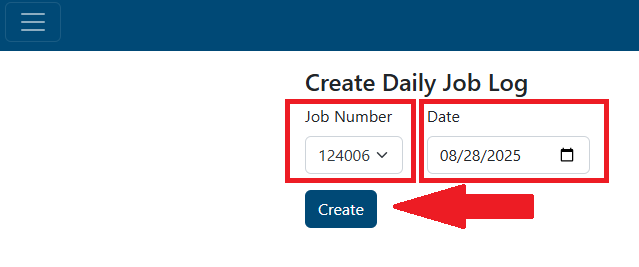
- Select job number from the Job Number dropdown list NOTE: the list will show all active and inactive jobs. You can start typing a job number or job name and the list will auto populate with options to choose also
- Enter date for current daily job log
- Click the Create button
-
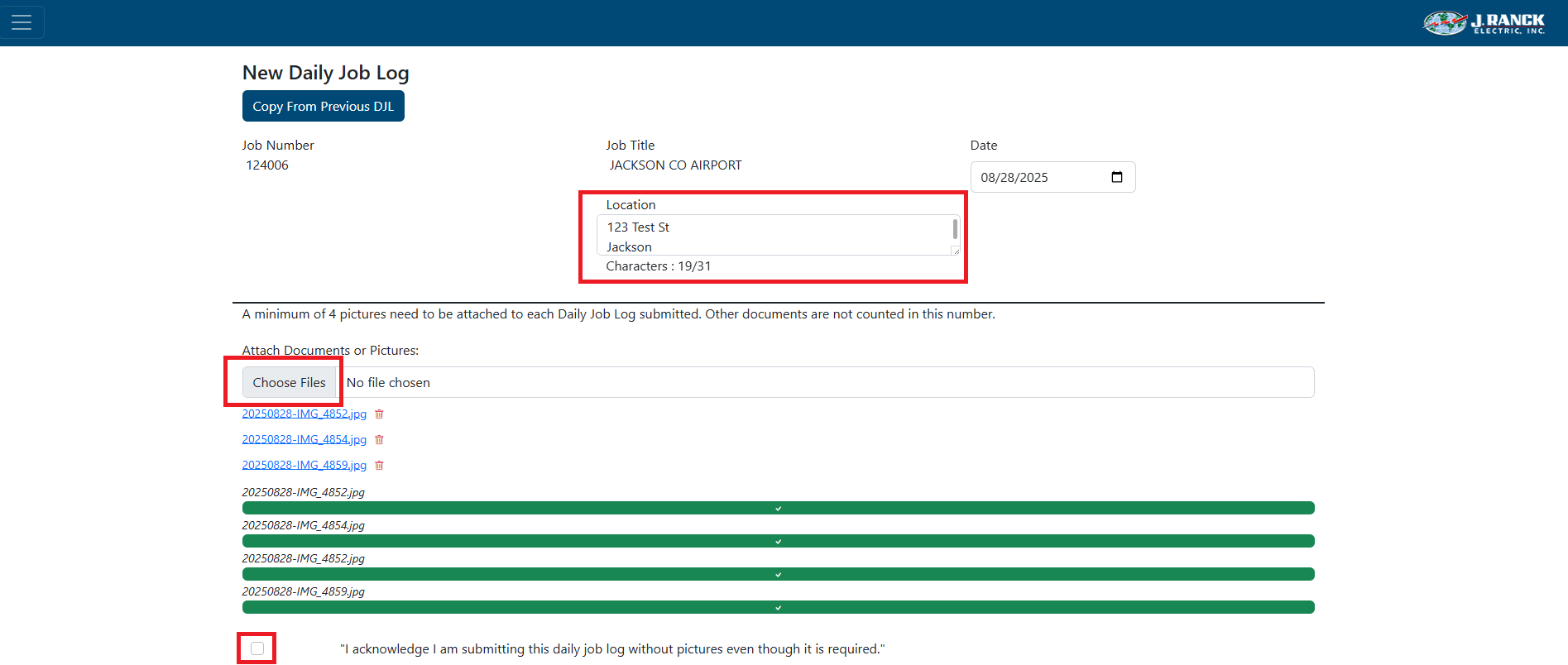
- Type in job location
- Attach any documents and pictures NOTE: At least 4 pictures are required to submit a daily job log per day
- Click Choose Files, select files wanted to load
- If there is a specific reason pictures cannot be sent, check the box to acknowledge that pictures were not attached
-
- Enter manpower breakdown
- Only active employees are in the dropdown lists. Start typing in name and selection will filter down. This will also keep a count of manpower entered
- Click on
- Enter equipment on site NOTE: Only active equipment will be listed in the dropdown list
- If more equipment is needed to list that is not in the dropdown list (i.e. rental equipment), click the check box for Add more equipment?
- Enter rental equipment Equipment - other text box
- If applicable, in the Visitor section, enter Subcontractors, Inspectors, and/or Other visitors text boxes