
How to Submit Safety Trainings
Purpose:
Provide employees the basic steps to use and complete submission of required safety trainings
Prerequisite:
- JRE account and password
Who's Responsible:
- All employees
Process:
- How to View Safety Trainings
- Navigate to Safety Trainings app on Our Current, located on the Safety page
- Click on View Safety Trainings button

-
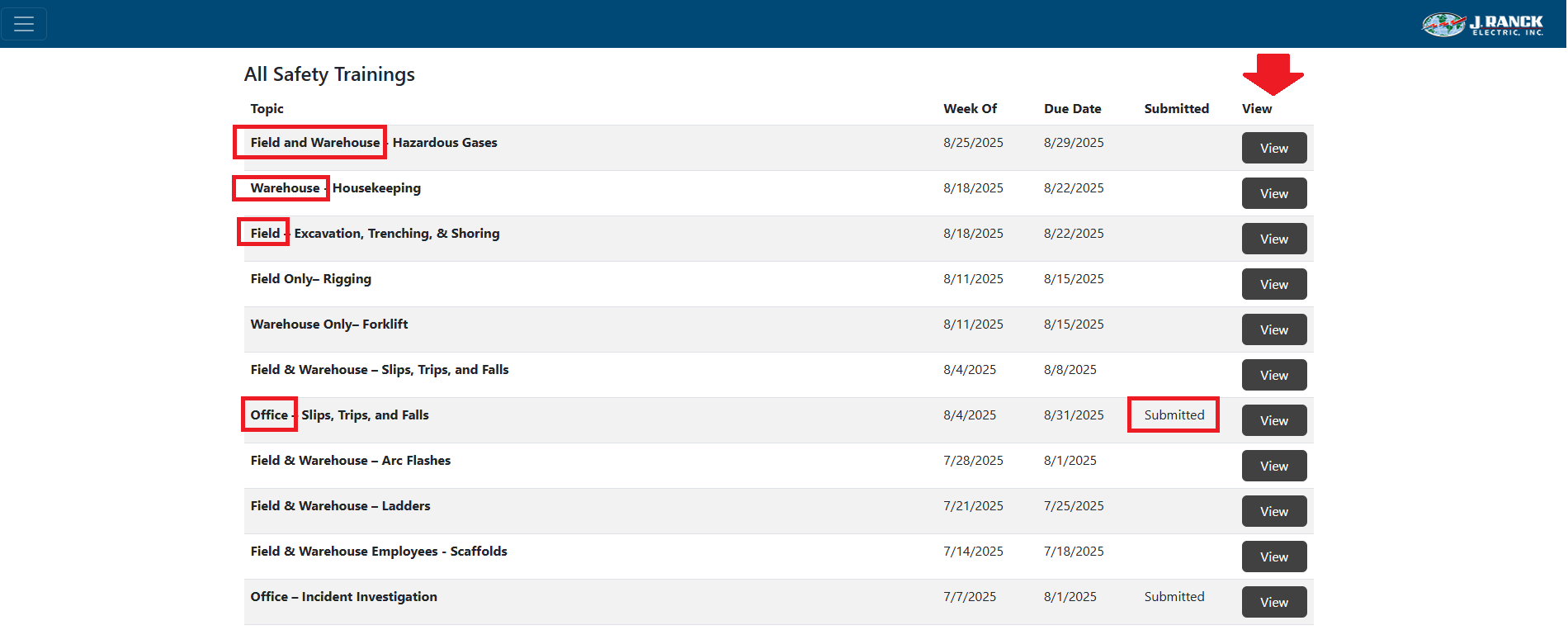
- Safety trainings that need to be completed are listed under All Safety Trainings NOTE: The topic column will indicate Field, Warehouse, or Office. You only need to complete the trainings for your area (i.e. office employees only need to complete trainings identified with Office in the topic name)
- The trainings that have been completed will indicate that the training has been "Submitted" in the Submitted column
- You can complete, review or amend a training by selecting the "View" button
- How to Complete a Safety Training
- Navigate to the safety training you wish to complete, view or amend by clicking on the "View" button

-
- At the top of the page, click the topic title link or the Attachment link to view the associated training
