
How to Submit Cyber Security Trainings
Purpose:
Provide employees the basic steps to use and complete submission of required cyber security trainings
Prerequisite:
- JRE account and password
Who's Responsible:
- All employees
Process:
- How to View Cyber Security Trainings
- Navigate to Cyber Security Trainings app on Our Current, located on the Safety page
- Click on View Cyber Security Trainings button

-
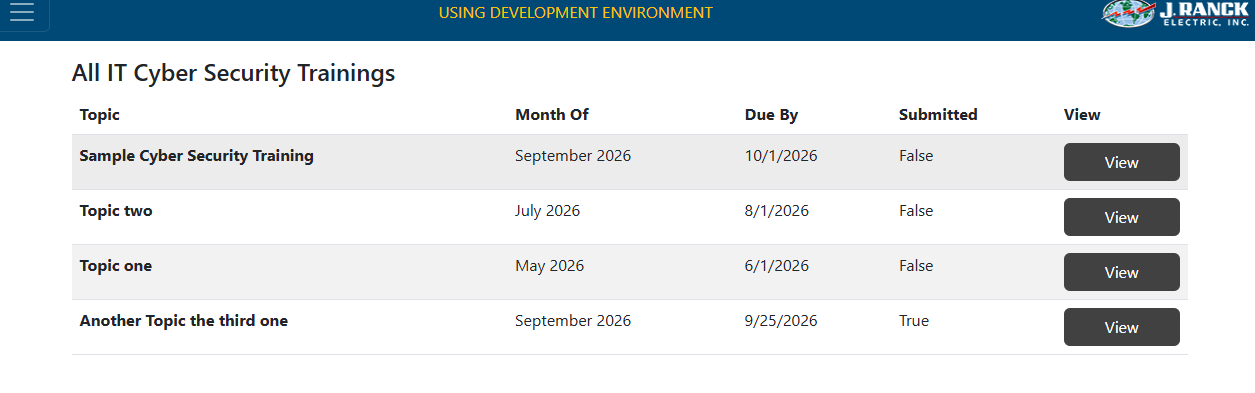
- Cyber Security trainings that need to be completed are listed under View Cyber Security Trainings
- The trainings that have been completed will indicate that the training has been "Submitted" in the Submitted column
- You can complete, review or amend a training by selecting the "View" button
- How to Complete a Cyber Security Training
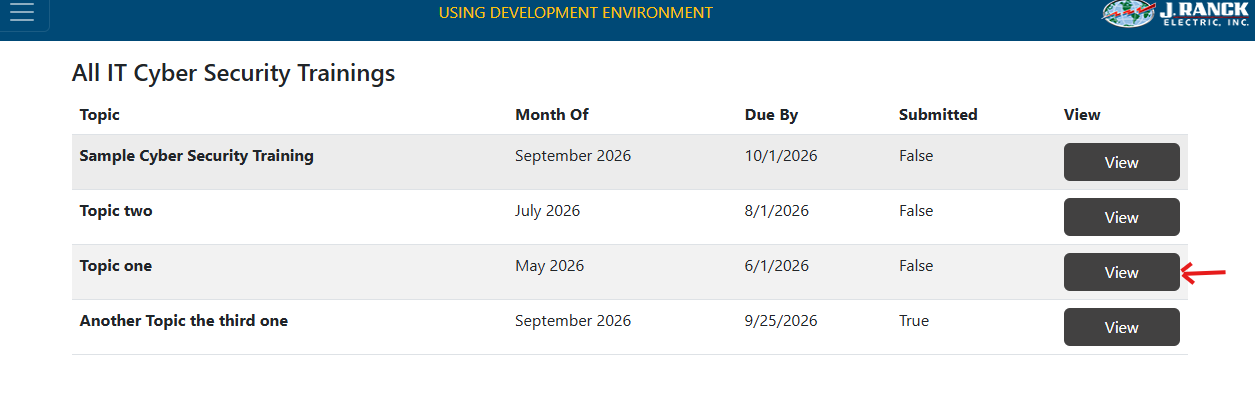
- Navigate to the training you wish to complete, view or amend by clicking on the "View" button
-
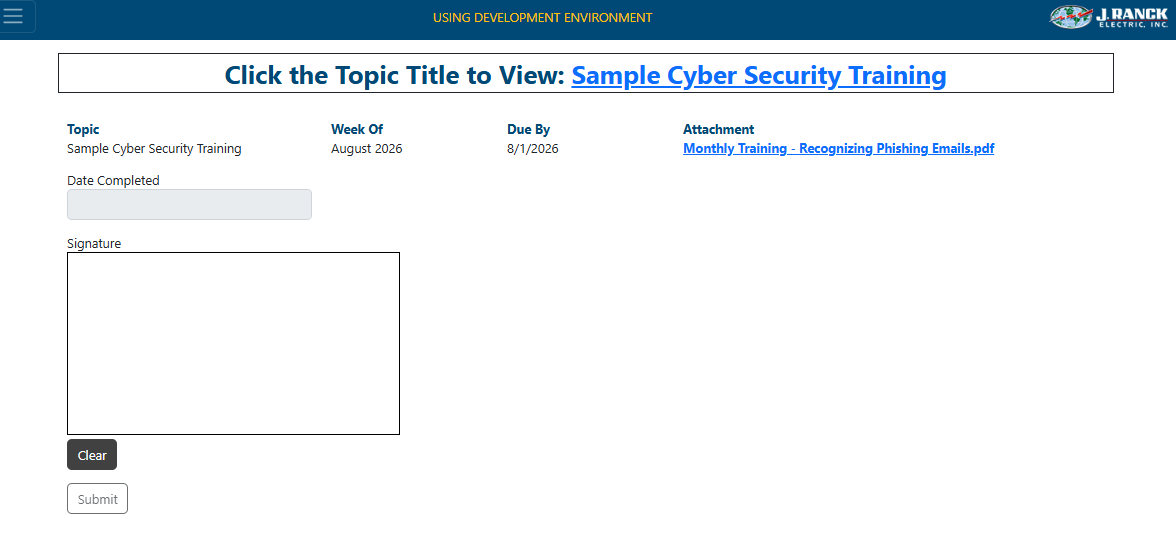
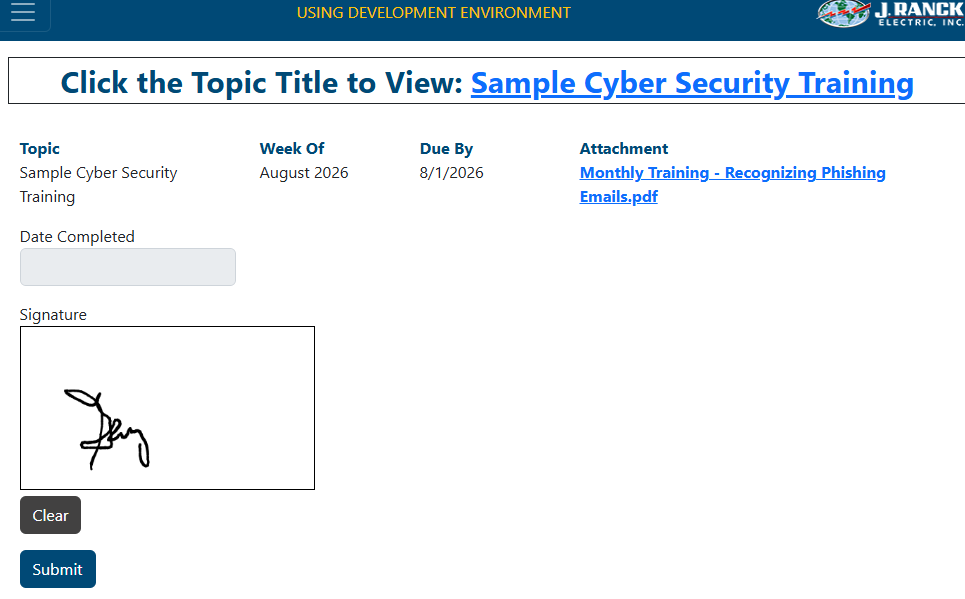
- At the top of the page, click the topic title link or the Attachment link to view the associated training
-
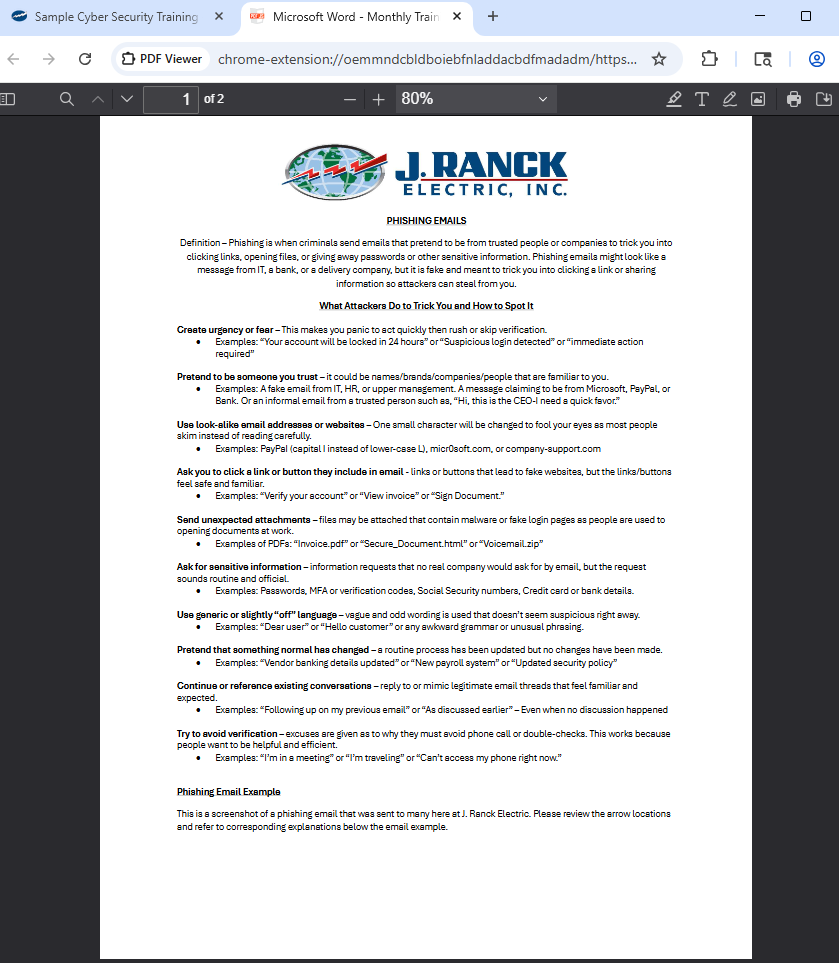
- Cover the information in the training document
- Once done, close the training document
-
- Sign your name in the signature box
- Click "Submit" button
Troubleshooting:
- For technical issues submit a ticket to IT support@jranck.com
- For process questions send email to support@jranck.com