How to Clear Browser Cache
Purpose:
To show the ways requests can be sent to theclear ITbrowser help deskcache for assistancea withsite technicalwhen questionsyou are encountering Spectrum or helpother fixingapplication anerrors issue.while accessing them in a browser.
Prerequisite:
Access to emailDesktop orphonelaptop
Who's Responsible:
- All employees
Process:
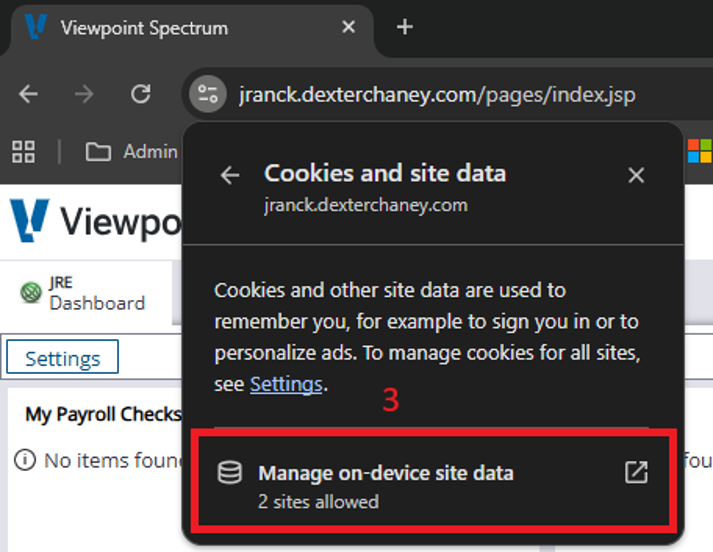
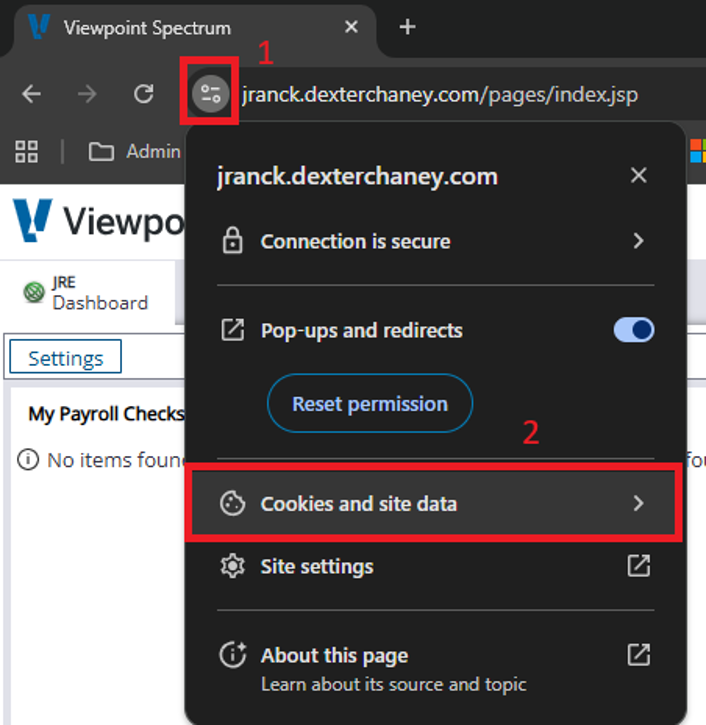
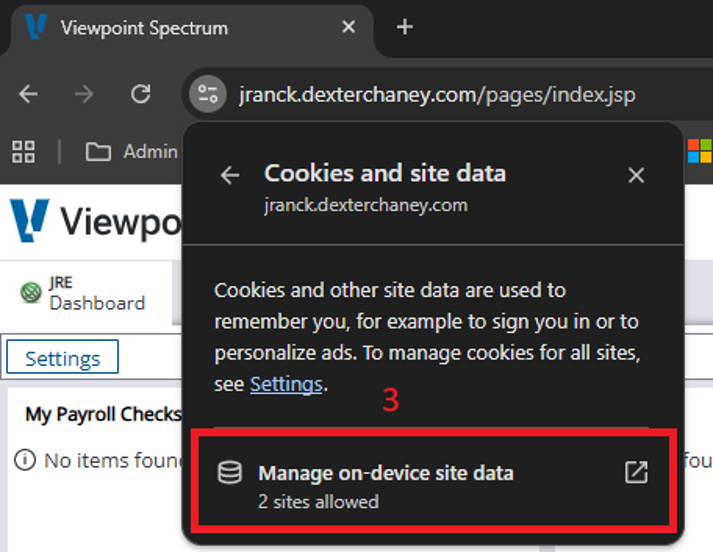
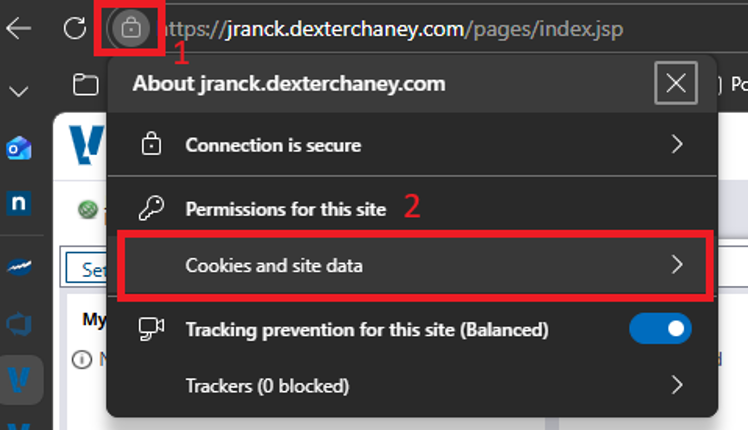
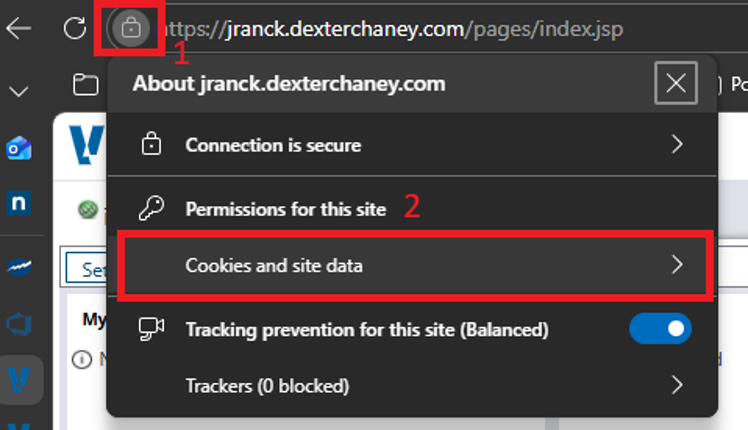
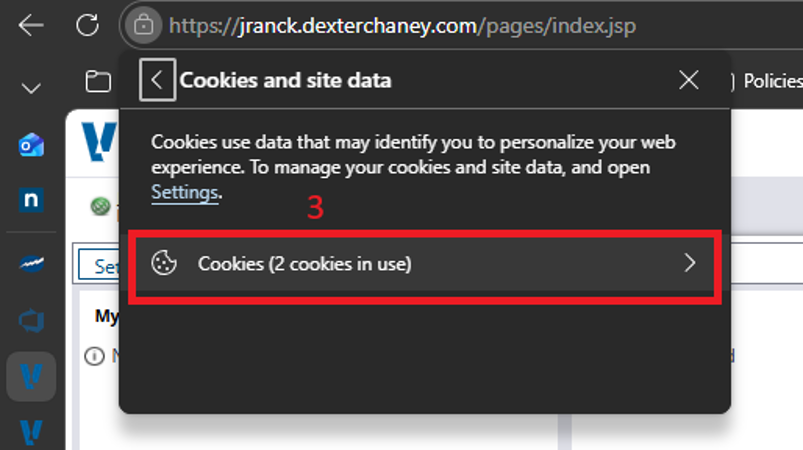
ViaGoogleEmailChromeSend email tosupport@jranck.comwith questions/issues.A ticket will be created forClick theIT department.All IT team members will be able to see all requests submittedInclude as much information as possible on the issueAttach screen shots of issue if possible/applicableEmail follow ups will be sent via the ticket processicon to therequestorleft of the URL link to display connection properties andanyonethenelse CC'd onselect theticketCookies and site data sub-menu.-
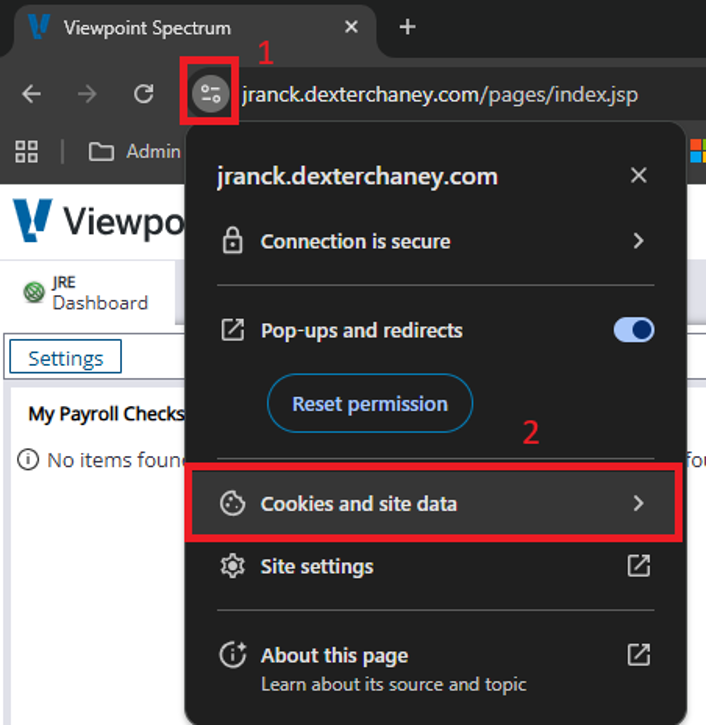
- On the Cookies and site data sub-menu, select Manage on-device site data
-
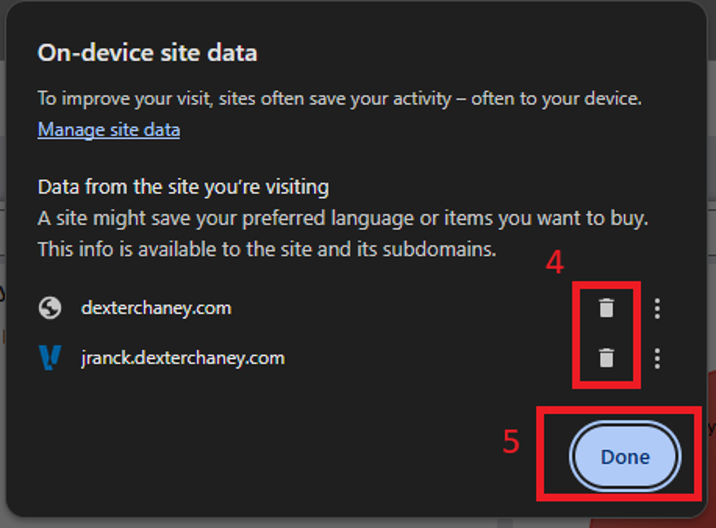
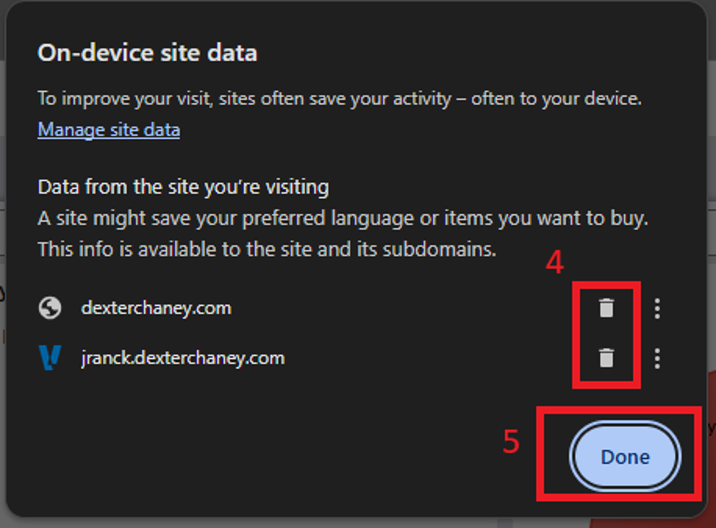
- From the On-device site data menu, select the trash can icons to the right of any site links displayed. Then click the Done button.
-
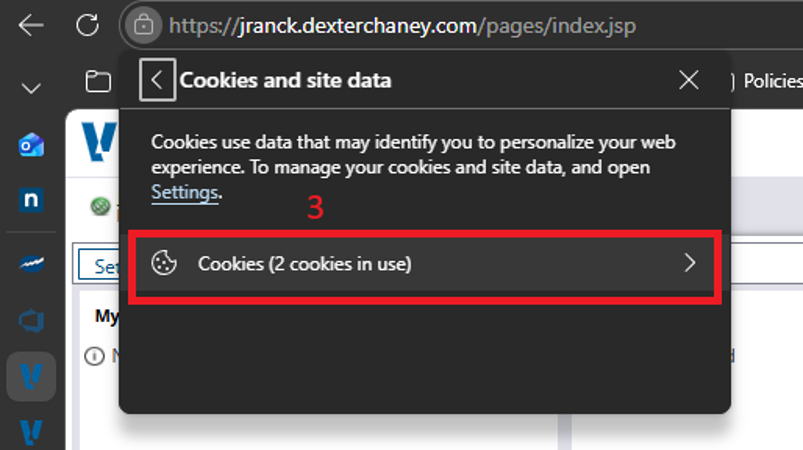
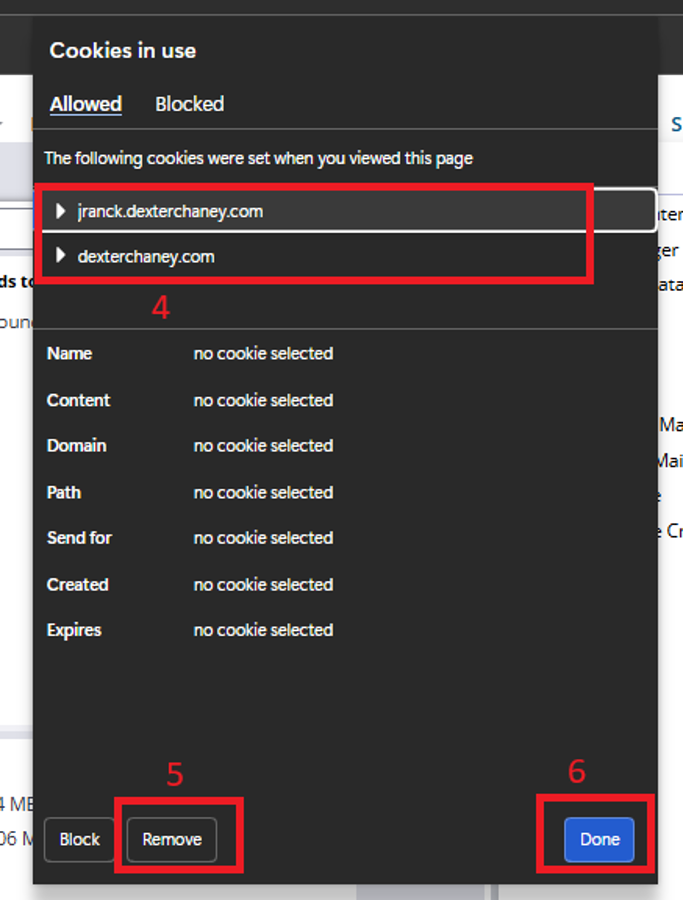
ViaMicrosoftPhoneEdgeExternal phone call(989) 775-1010Internal phone call extension2120Someone inClick theIT department will answer the phone. If no one answers, leave a message and a ticket will automatically be created and all IT members will be able to see it and listenicon to thevoiceleftmailof the URL link to display connection properties and then select the Cookies and site data sub-menu.-
- On the Cookies and site data sub-menu, select Cookies
-
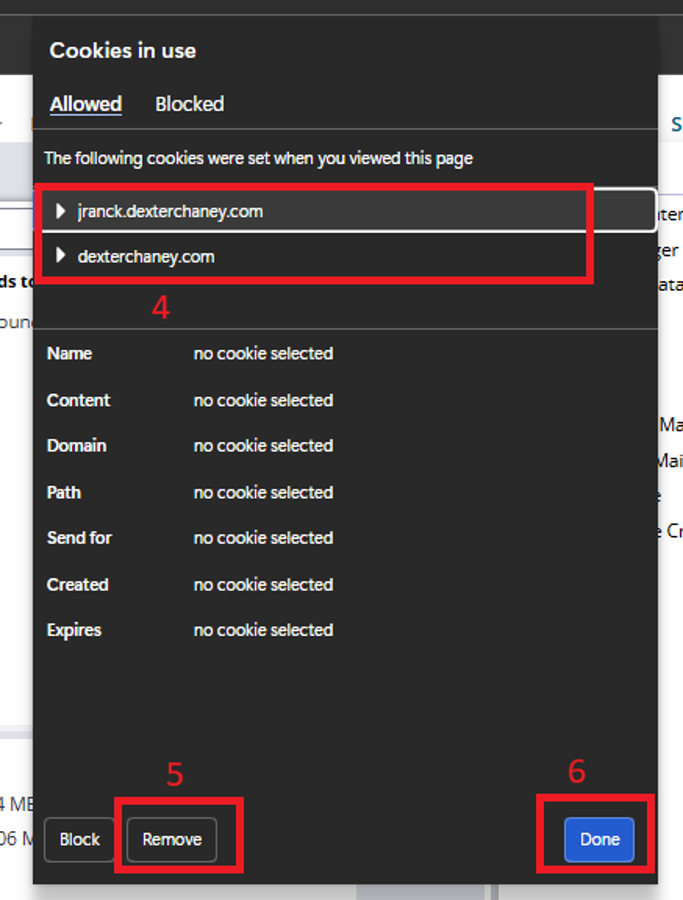
- From the Cookies menu, select the site links displayed to select. Click the Remove button on the lower left. Then click the Done button.
-
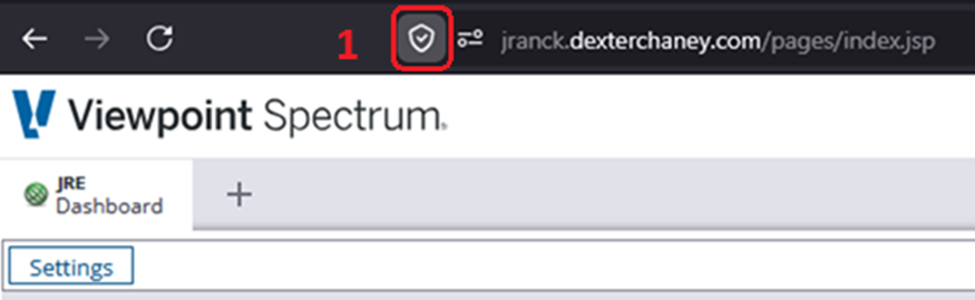
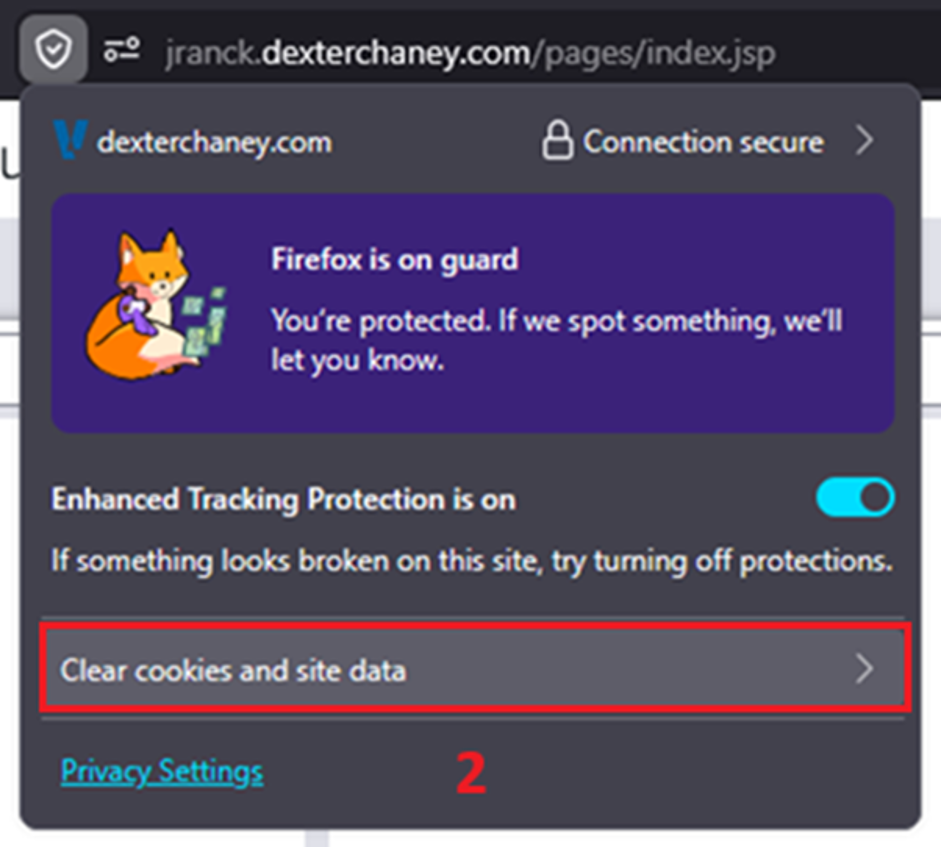
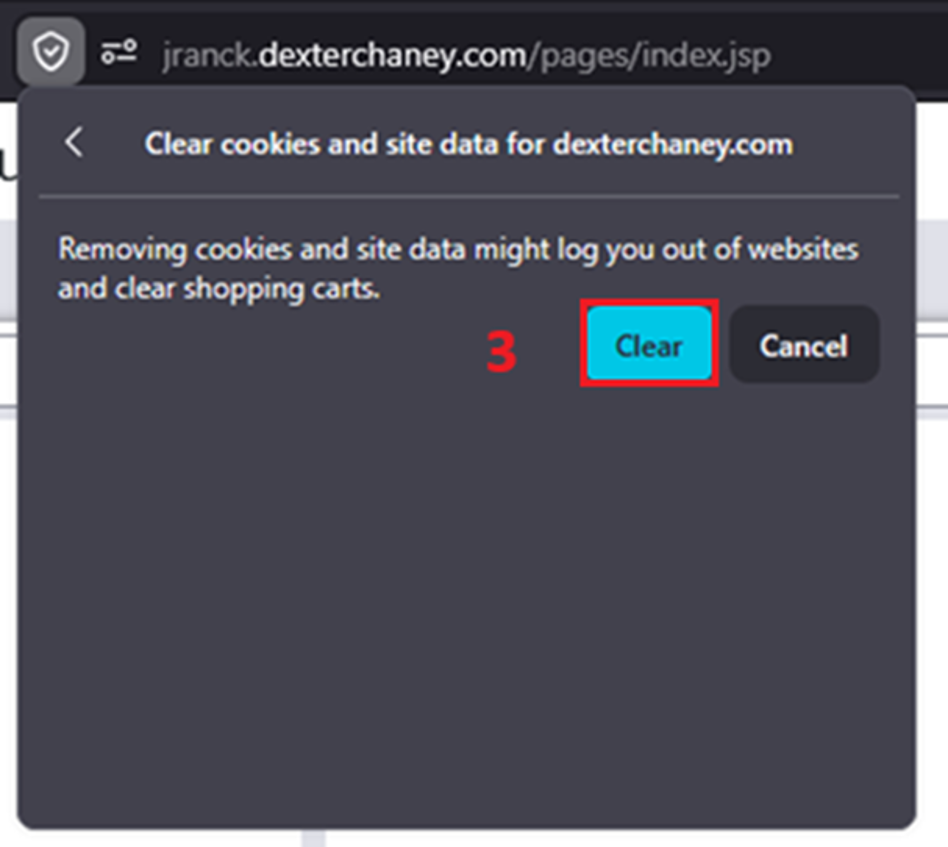
Via Drop-inFirefox
StopClickbytheanyicon to the left of theITURLteamslinkoffices.toIfdisplaysomeone'sconnectiondoorproperties-
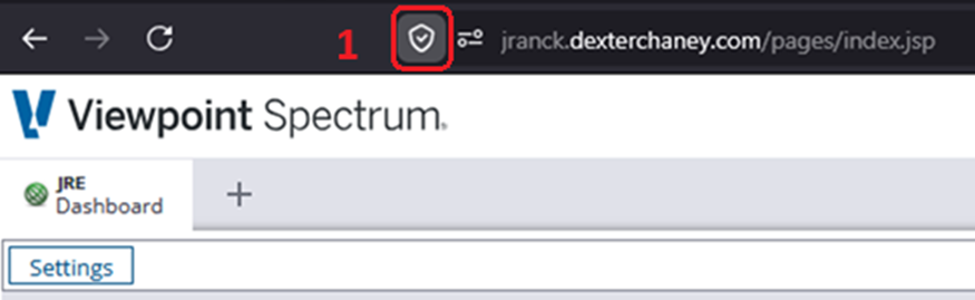
- From the Connection settings menu that is
closedthenthatdisplayed,meansselecttheyCleararecookieseitherandworkingsiteon something critical or are in a meeting. Pick another IT team member to go todata IfIT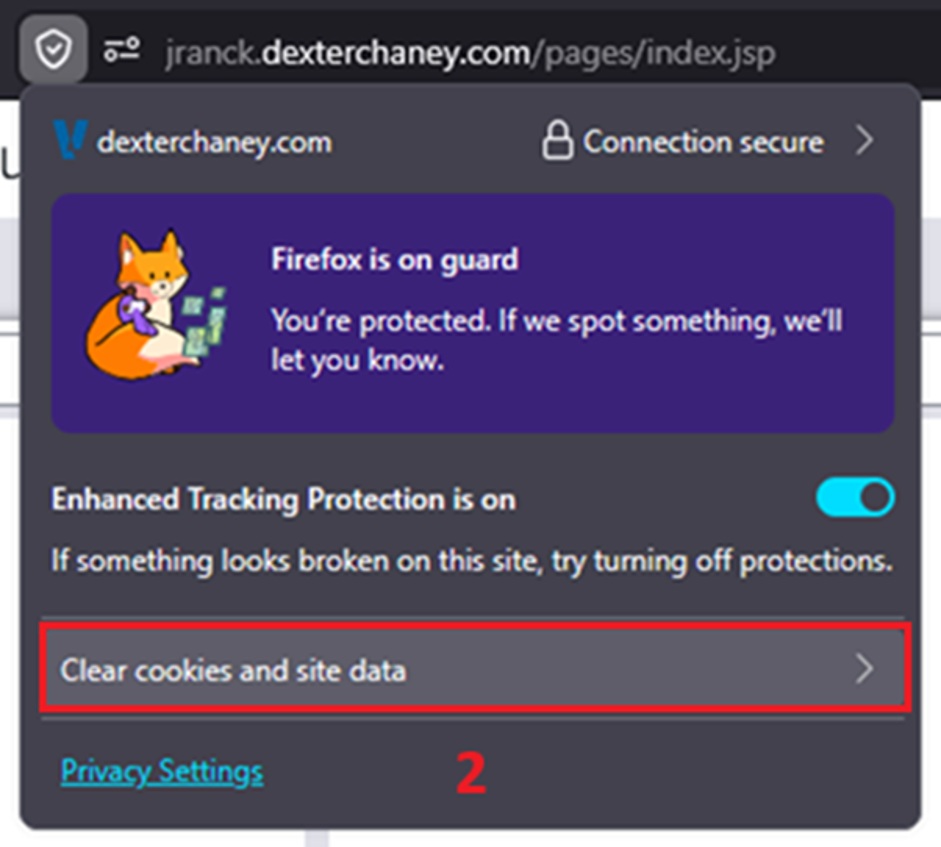
can address a quick question, they will do soIf not, they may ask that a ticket be submitted soFrom theinformationClearis gathered,cookies andthesiterequestdataissub-menu,notselectlostClear-
forgotten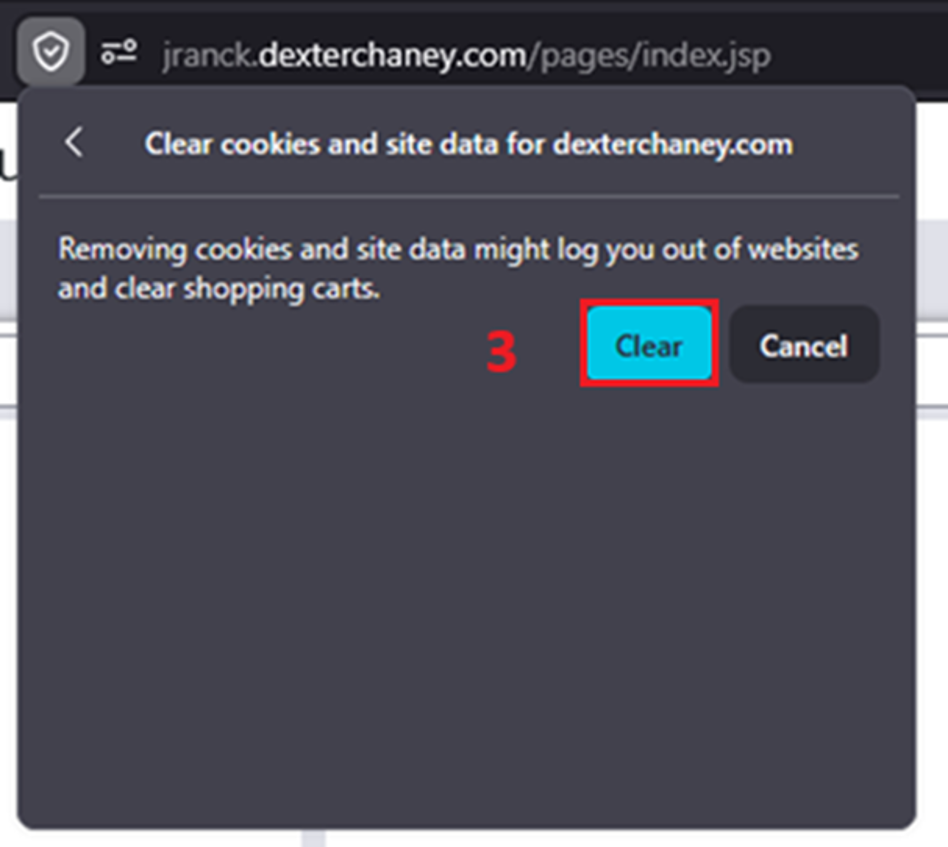
about. This also allows tracking of the question/issue to identify if others are having the same question/issue
or